剣会Kenkai means “sword club”
Your kendo club’s training, in one place.
The timetable, check-in and attendance, club notices, and your own training notes. For every kendoka and every club. Free.
- No data to advertisers
- Phone, tablet or computer
- Clubs in any country
No more group-chat timetables
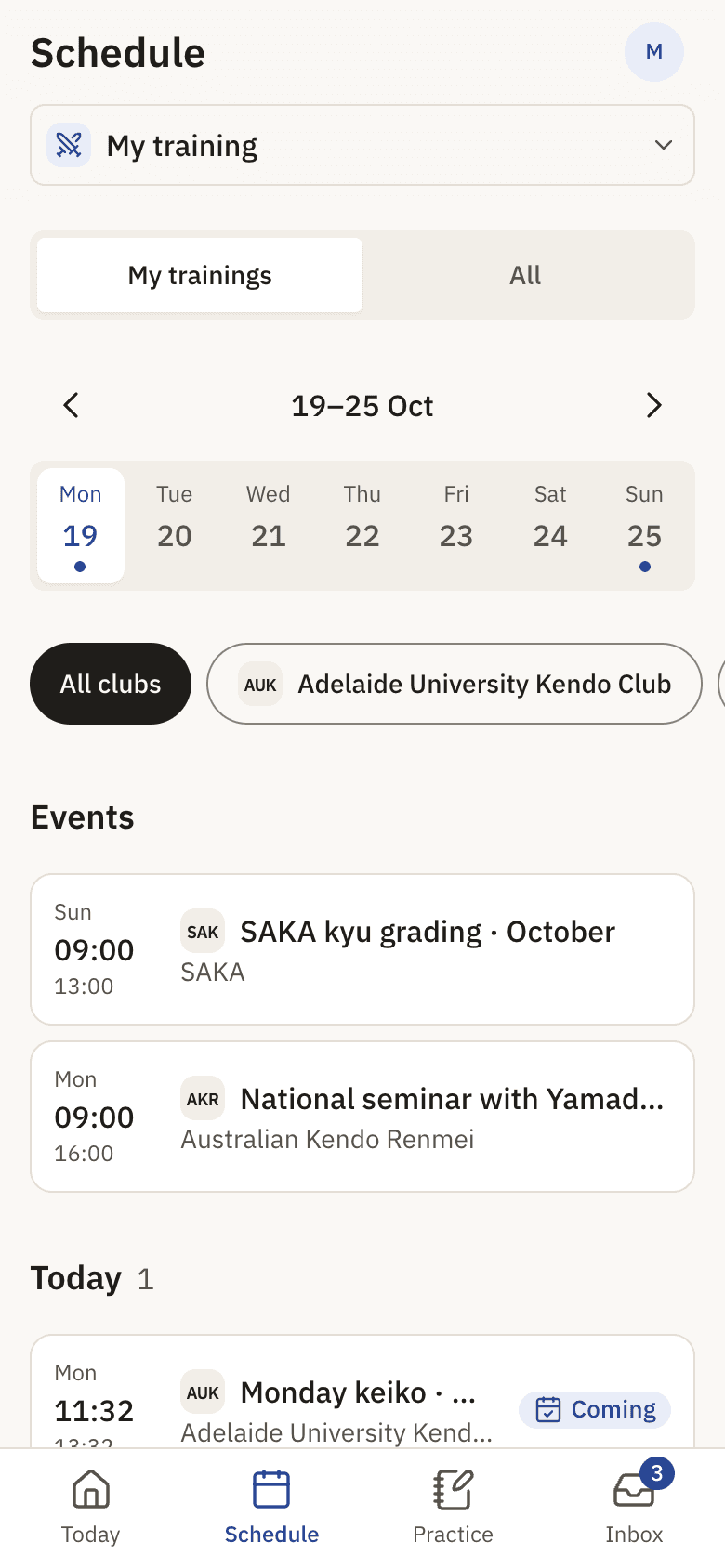
One timetable for the club, always current. A cancelled session reaches everyone who planned to come.
Attendance in seconds
Members check themselves in, or a coach marks Here or Away from the roster.
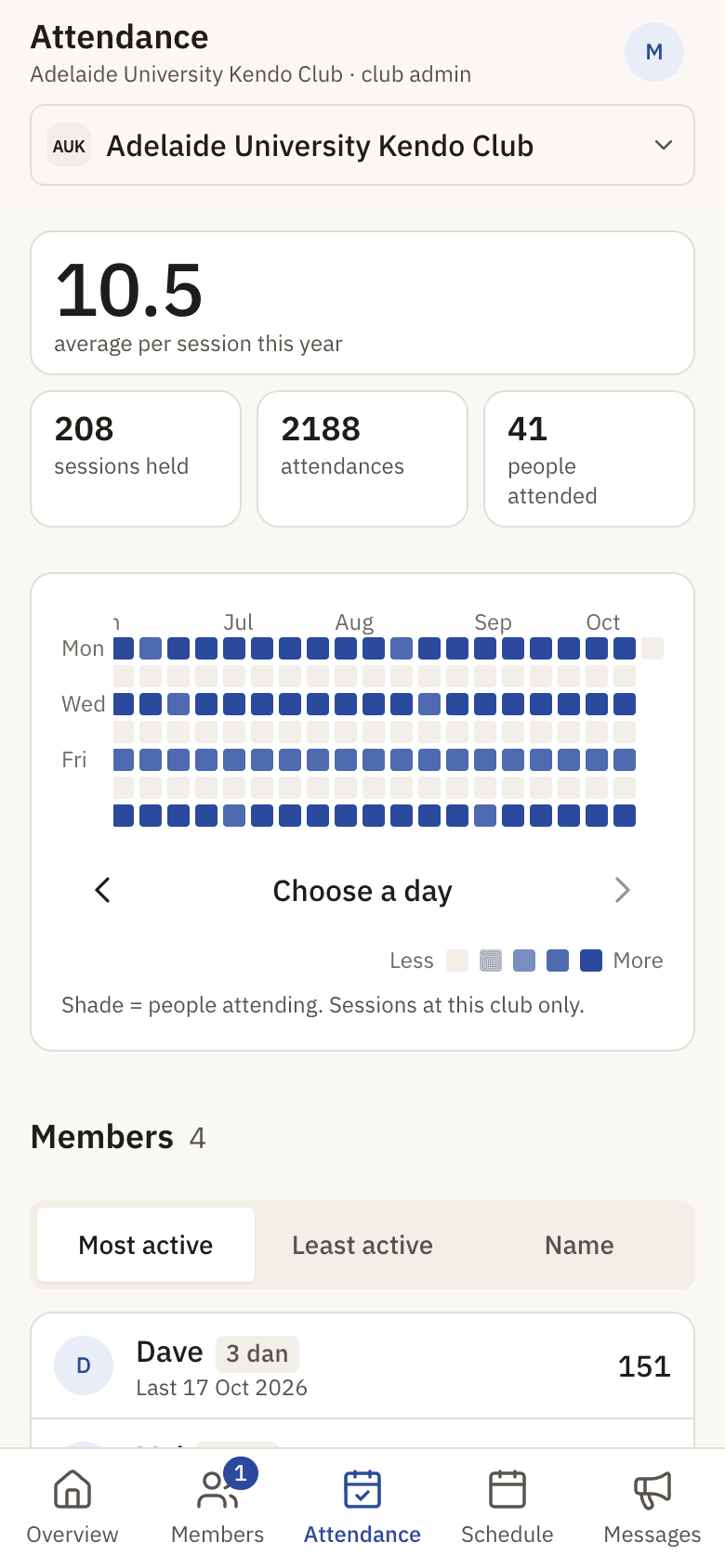
See every keiko add up
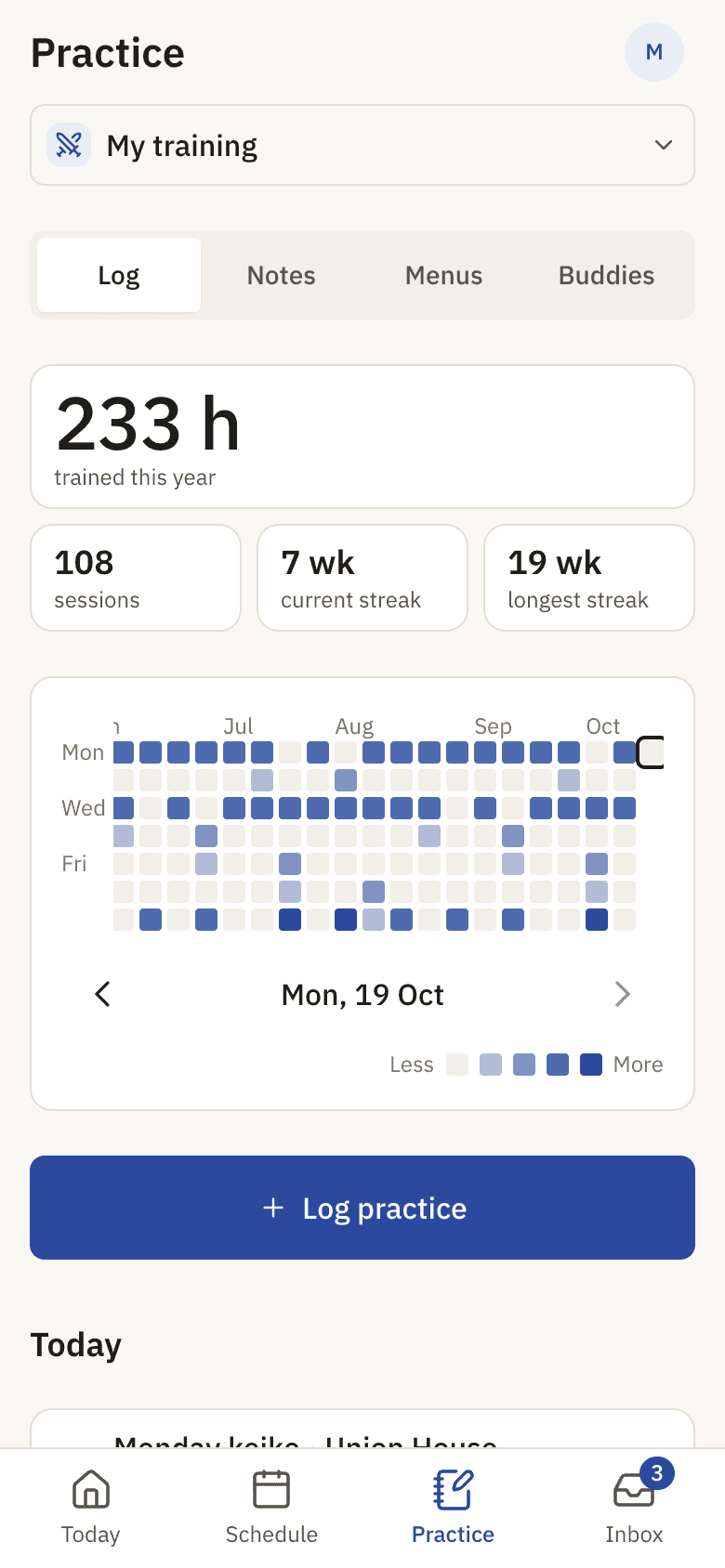
A year of training on one grid, with hours, sessions and streaks.
For kendoka
Everything about your training, in your pocket
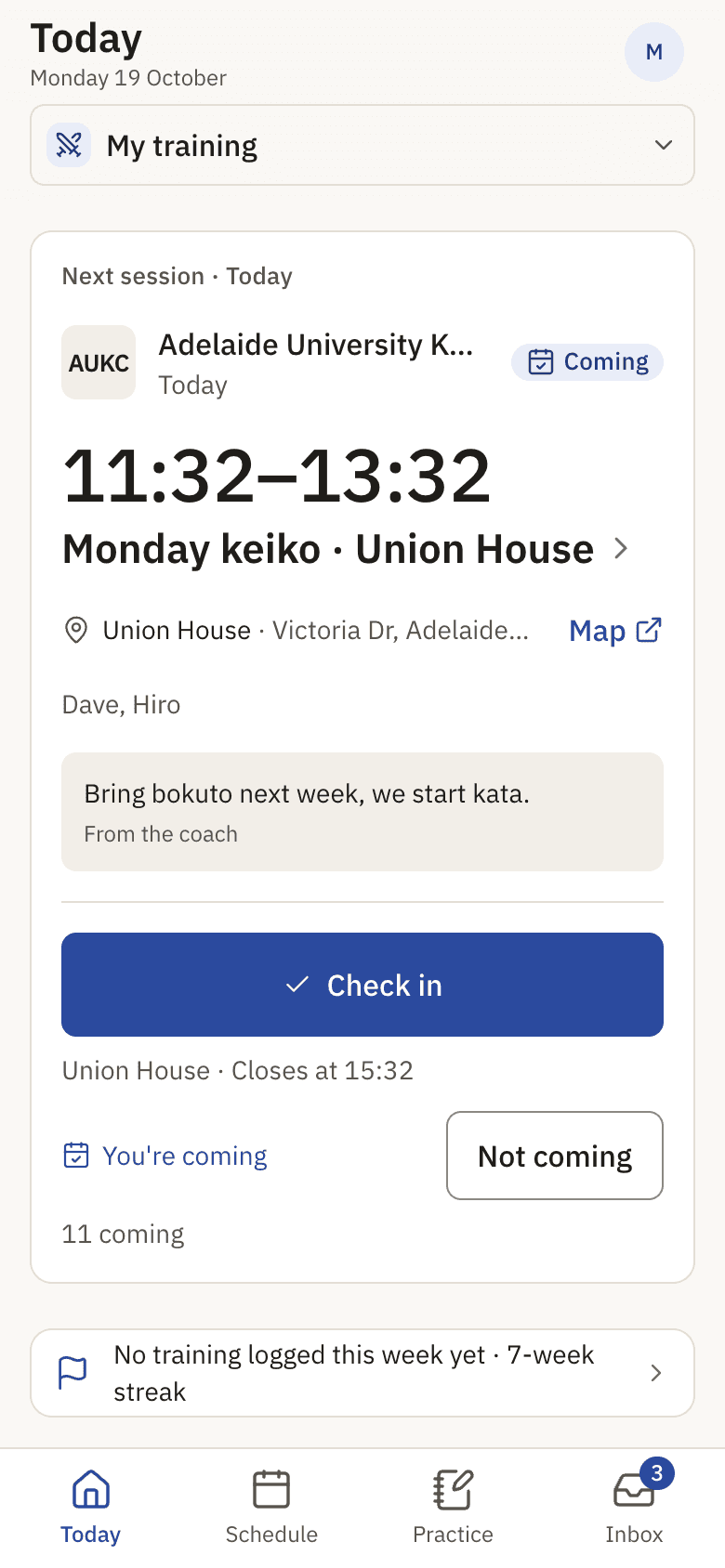
Open Kenkai before keiko to see where and when. Check in when you arrive. Write what you learned on the way home.
Today and the week ahead
Your next session, its venue with a map link, and the coach’s message. Times are always the club’s local time.
Subscribe to your weekly trainings
Choose the trainings you go to. Kenkai shows them first and tells you when one changes or is cancelled.
A training record
Every session you attend goes on your grid. Add suburi at home or keiko at another dojo by hand.
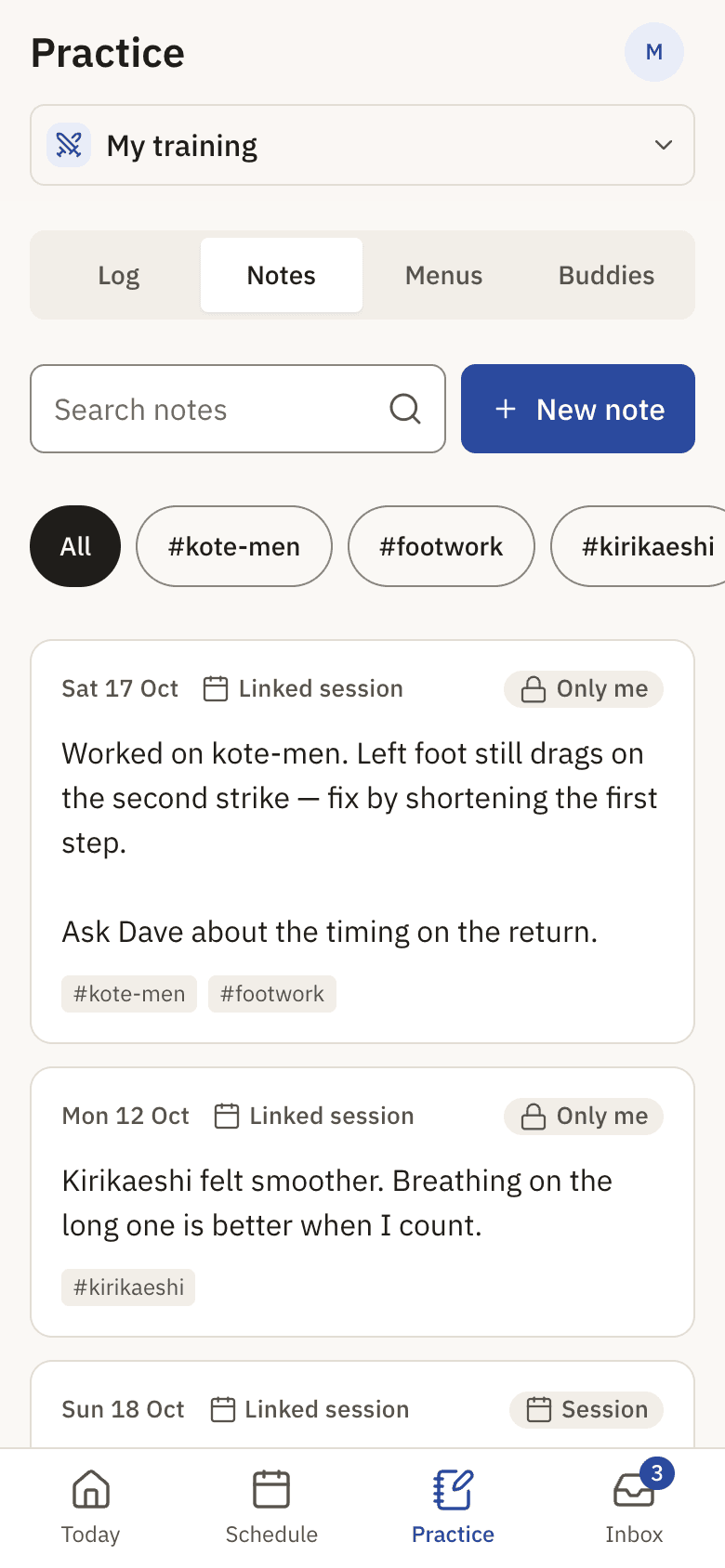
Notes and practice menus
Write a note after each session. Build drill menus for solo practice. Share them with a senpai or kohai, or keep them private.
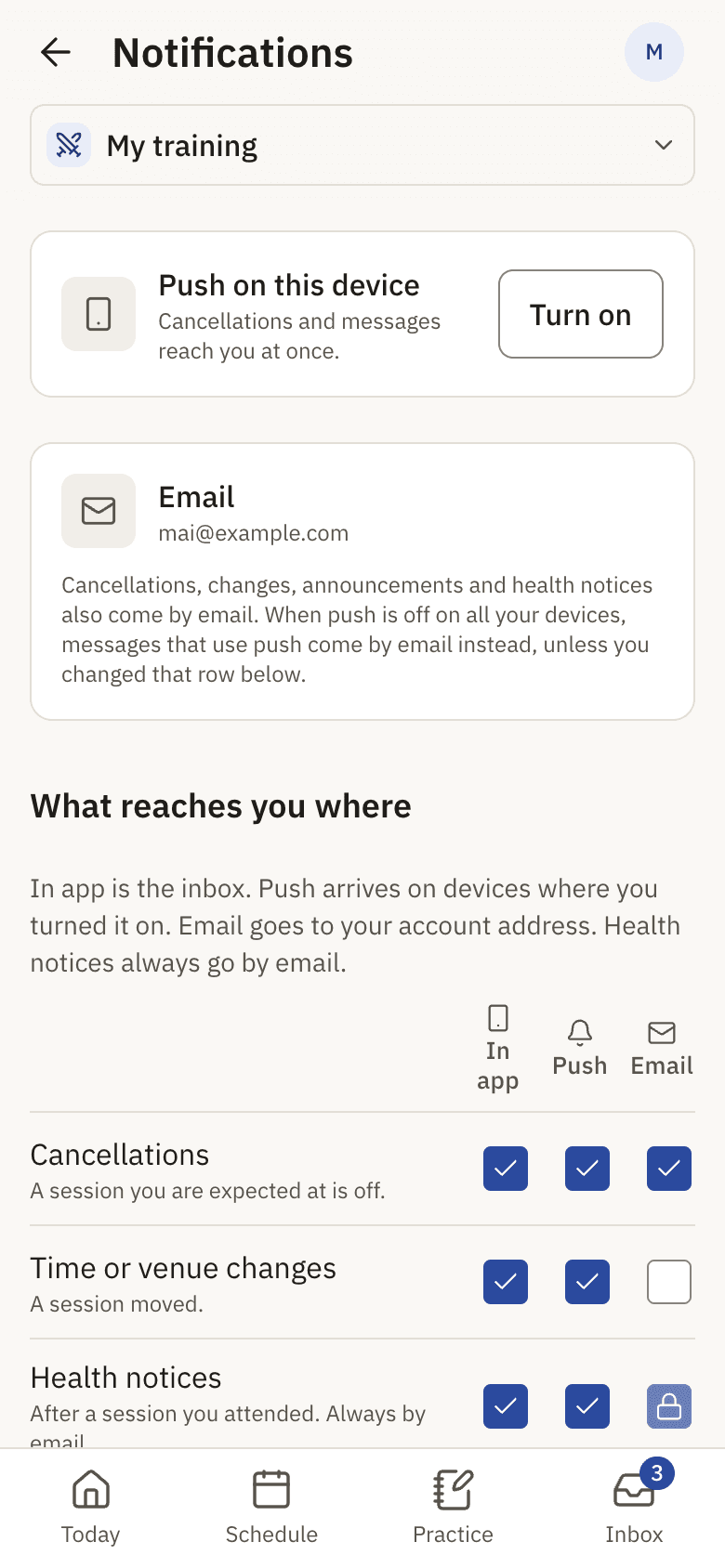
Push and email
Cancellations and messages arrive by push. If push is off, they come by email, so you never miss one.
For club admins and coaches
Run the club, not the spreadsheet
A club admin switches Kenkai into club mode. Members, attendance, the schedule and messages each have their own screen.
Weekly trainings and one-off events
Set a training once and it repeats. Add gradings, seminars and competitions with registration.
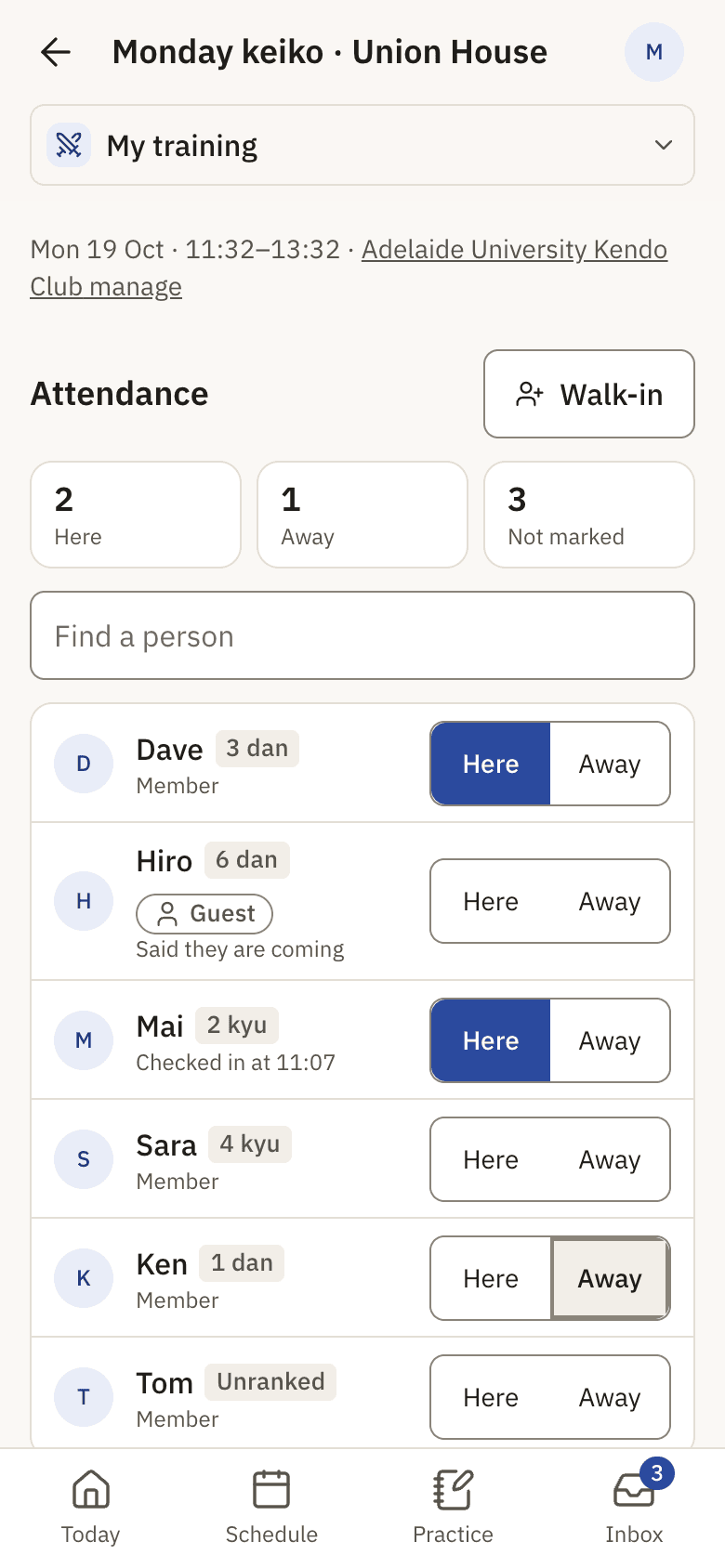
Take attendance by hand or let members check in
A roster with Here and Away, a search, and walk-ins for visitors. If the club allows it, members check in from an hour before the session.
Members and guests
Approve requests to join. Set grades. Visitors from other clubs join as guests and see only what a guest needs.
Announcements and cancellations
Send a message to the club, or to the people expected at one session.
Health notices that protect privacy
Tell everyone who attended a session about a health issue, without naming the person.
Clubs anywhere
Set your country, state and timezone. Kenkai keeps training at your local time through daylight saving changes.
How it works
Start in a few minutes
Kenkai runs in the browser. There is nothing to download.
As a kendoka
- 1
Create an account
It takes a minute. Choose the name your club sees.
- 2
Find your club
Open your club's page and ask to join as a member, or as a guest if you visit.
- 3
Subscribe to your trainings
When the admin approves you, choose the weekly trainings you go to.
- 4
Check in and write a note
Check in at the dojo. After keiko, write what you learned while it is fresh.
As a club admin
- 1
Ask for a club account
Send us your club's name and city. We set up the club and make you its admin.
- 2
Add your trainings and venues
Set each weekly training once: day, time and venue.
- 3
Invite your members
Send invitations or share the club link. Approve each request and set grades.
- 4
Take attendance
Open the session and mark Here or Away, or let members check in themselves.
On your phone
Add Kenkai to your Home Screen
Kenkai then opens like an app, works offline for what you already opened, and can send push notifications.
iPhone and iPad
- Open Kenkai in Safari.
- Tap Share, then Add to Home Screen.
- Open Kenkai from the Home Screen.
- In Profile, Notifications, turn push on.
Android
- Open Kenkai in Chrome.
- Tap the menu, then Install app or Add to Home screen.
- In Profile, Notifications, turn push on.
Free, with ads
Free for every kendoka and every club
Ads pay for Kenkai, so no club and no kendoka pays a fee.
Your data stays with your club
Advertisers never get your name, email, club, attendance, notes or health notices.
Ads stay out of the way
One ad at the end of a few list screens. None on a session, in the inbox or in club mode.
No limit on members
Add every member, every guest and every session. There are no plans to choose.
Questions
Common questions
What does Kenkai cost?
Nothing. Kenkai is free for every kendoka and every club. Ads pay for it. Ads appear only at the end of a few list screens, never on a session, in the inbox or in the club-admin screens.
How does my club get on Kenkai?
A club admin asks us for a club account. We set up the club and make you its admin. Then you add your weekly trainings and invite your members.
Can I use Kenkai without a club?
Yes. Create an account and keep training notes, practice menus and a record of your practice at home. Join a club when you are ready.
I train at two clubs. Is that a problem?
No. You have one home club, and you can be a guest at other clubs. A guest sees the timetable and the notices for sessions, but not the club's internal announcements or member list.
Who sets my grade?
Your club admin. A kendoka cannot change their own grade, so the grade that people see is the one your club recorded.
Do I need to install an app?
No. Kenkai works in the browser on a phone, a tablet or a computer. Add it to your Home Screen to open it like an app and to get push notifications.
Which countries does Kenkai support?
Any country. Each club has its own country, state and timezone. Training times are the club's local times, and daylight saving changes are handled for you.
What happens to my data?
Your club admins see your membership and your attendance at their club. A state or national body sees counts only. Advertisers get nothing about you. When you delete your account, Kenkai removes your notes, menus and training log.
See you at keiko.
Create your free account in a minute.